Nexus overview
Only for workstations using files
If you've chosen a Manually Operated workstation or a workstation connected via API, you can skip this Nexus section.
Nexus is a file exchange platform that enables SDLabs to connect with automated workstations such as analytical instruments, simulations or robotic equipment. Here are some of its features:
- It can be operated manually or automated, either through the graphical user interface or via API calls and the SDK.
- Each workstation is associated with a single Nexus project. This is the directory where all the parameters/measurements of your workstation will be placed.
- Nexus projects are managed by groups and accessible only with the proper authentication.
Nexus Dashboard
The Nexus dashboard lists all the projects associated to the user's group. In general, a single project corresponds to a single workstation. You will see here the amount of files stored for each project, as well as its owner and its creation date.
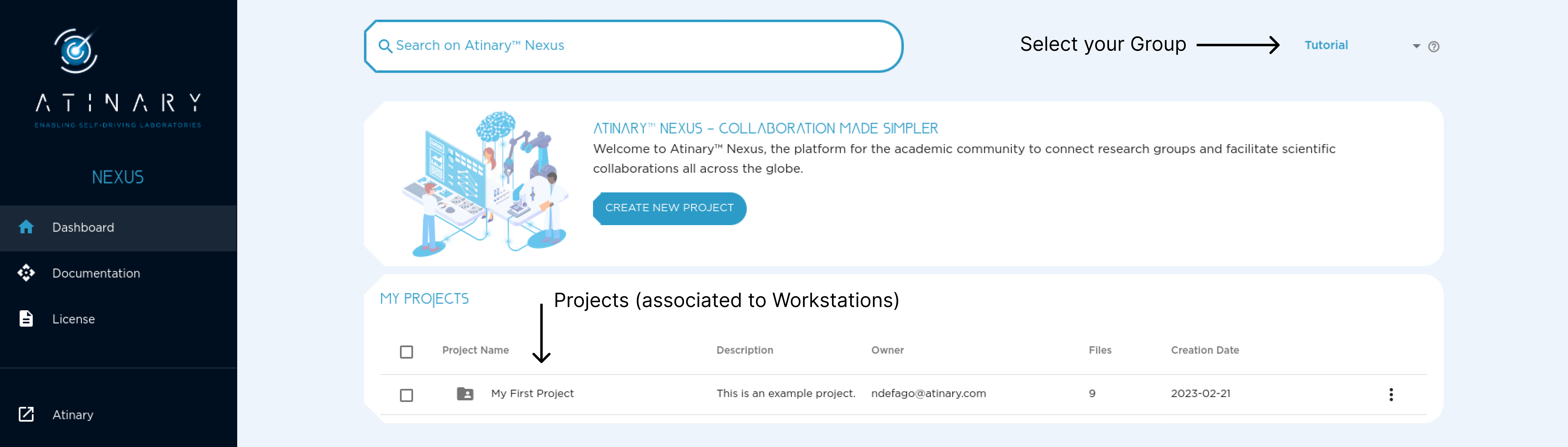
Nexus Project
Inside a Nexus project you will be able to upload and download files. There are two types of files:
parametersfiles, corresponding to the parameters submitted by SDLabs.propertiesfiles, corresponding to the measurements sent by the workstation or the user.- A third type of files let you store
otherdata if needed, but these are not processed by SDLabs.
The settings available at the top right of the dashboard let you manage accesses to this project, its name and its description.
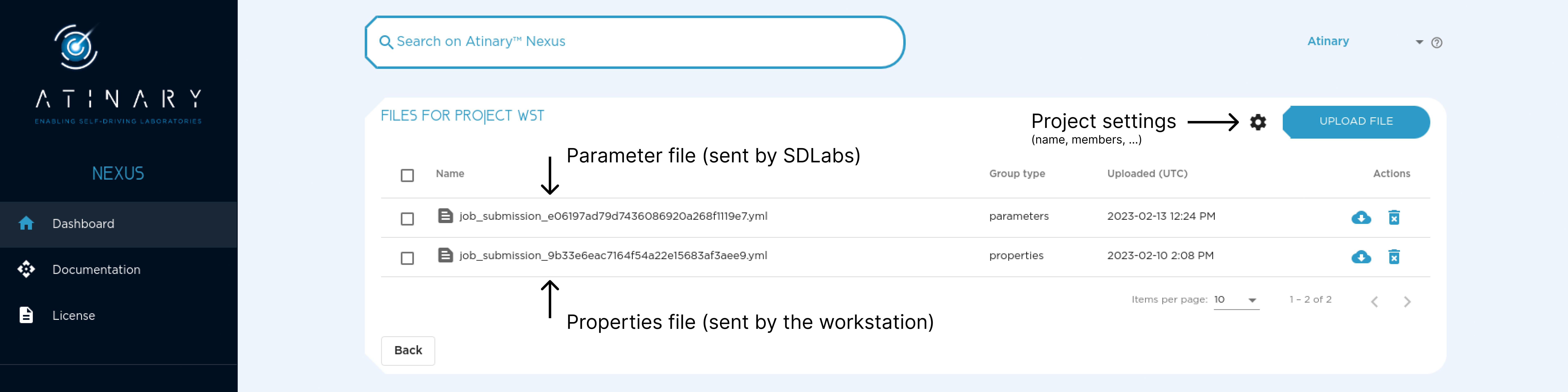
Exchange Parameters/Measurements with SDLabs
In a typical setup, you will receive a single parameters file per campaign iteration, which will be processed by your workstation.
Once the workstation's measurements are available, you will need to add them to the same file and return the file as a properties file.
Please note that it is important to keep the same file name and metadata inside the file (e.g. IDs) for your campaign to run smoothly!
The following is a typical workflow description on how to exchange parameters and measurements with Nexus.
Steps
- Launch a campaign on SDLabs with an automated workstation (see tutorial).
- Download
parametersfile. - Execute workstation step (i.e. perform the experiment) to build a response file (
propertiesfile, containing the measurements). - Upload the
propertiesfile on the same Nexus project with the same name as theparametersfile. - Wait for the next
parametersfile (containing new parameters suggestions) to be generated by the platform. - Go back to step 2.
See more information about file formats in the File Formats section
This workflow can be performed with the following tools:
- The Nexus Bridge
- The Nexus SDK
- The SDLabs GUI